


BackThen - Baby Book & Albums
4.8381.00 Reviews
App Specs
- Version
- 2.9.2.0
- Updated On
- License
- Free
- Downloads
- 100,000+
- Developer
- Back Then Digital Ltd
- Categories
- Parenting
- Platform
- Android, iOS
Screenshots
 Analysis by AppCompare
I find the most useful idea behind BackThen: Baby & Family Album is giving baby photos a dedicated home instead of letting them disappear into the general camera roll. That matters less on a quiet day than it does after months of quick snapshots, when I want to find the first time a child tried a new food without scrolling past screenshots, receipts, and unrelated pictures. As a parenting app from Back Then Digital Ltd, it puts the focus on keeping family memories together and sharing them with a chosen circle.
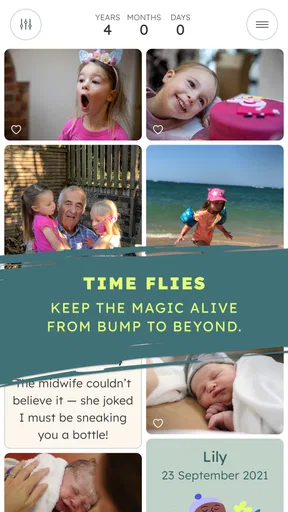
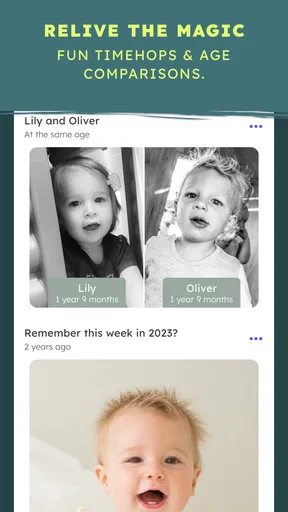
A timeline changes how you revisit photos
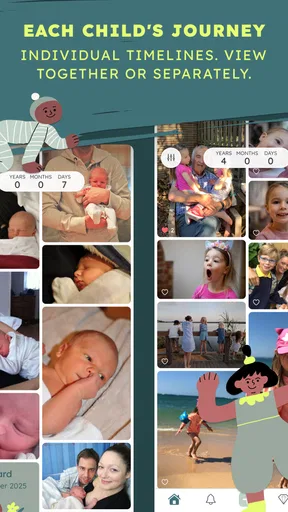
The date-based organization is the capability I’d build a routine around. A camera roll is usually arranged by date too, but it mixes every kind of image in one stream. Here, the child’s photos become a more purposeful record, so looking back can feel like revisiting a period of family life rather than searching a phone. I like that distinction: the value is not just storage, but being able to find a moment in its context.
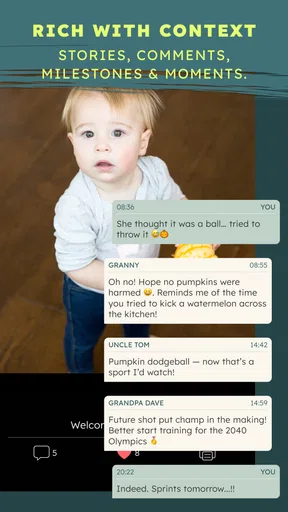
For the timeline to become useful, I’d start with a small, manageable habit rather than trying to import and caption everything at once. Add a few pictures after a meaningful day, and write one short note while the details are still fresh. A caption such as where you were or what made the moment funny can do more for your future memory than a polished description written months later. The app’s photo notes and captions support that kind of record-keeping.
How I’d use it in an ordinary week
Imagine taking several pictures during a busy weekend, then realizing on Monday that you can barely remember which visit came first. I’d move the pictures into the family album, use the dates to find them later, and add a brief note to the one that captures the story best. If a birthday or vacation deserves its own grouping, the customizable categories offer a way to make that set easier to revisit without turning every single photo into a filing project.
The monthly reminder is a practical nudge, especially for parents who mean to document milestones but rarely have time to do it on the day. I would treat it as a prompt to choose a handful of meaningful images, not as homework to keep the album perfectly current. That keeps the routine light and makes it more likely to last through ordinary weeks, when there is no big first or celebration to record.
Sharing without making every moment public
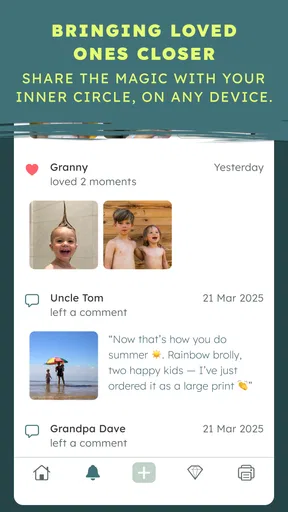
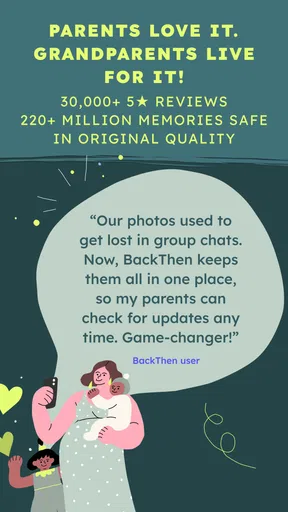
I can see the private sharing approach being a better fit than posting family updates on a social network. You can invite relatives and friends by email, and they can view albums in the app or in a web browser. That is handy for grandparents who want to follow along but do not want to maintain a social account just to see new pictures. It also gives the family a more focused place for these updates than a group chat, where photos can get buried beneath everyday messages.
Before inviting people, I’d decide who really needs access and what I want to share with them. A private album is still a shared space, so being selective is a sensible habit with children’s pictures. The useful trade-off is that a close group can stay involved without turning each upload into a public post; the corresponding responsibility is keeping that group intentional as family circumstances change.
Worth Reading Before You Choose

Flipboard Shows What News Apps Must Do Beyond the Feed

Switching to Android Auto Means Rethinking Your Driving Routine

Google Calendar Makes a Crowded Week Easier to Manage

Ludo King Makes the Most of the Minutes Between Plans

Baby Panda World Brings Quick Play to Modern Phones, but Its Game Library Feels Busy

ESPN’s Live Game View Makes Following Close Games Easier
Good fit, with a few practical limits
This app makes the most sense to me for parents who take many photos, want a chronological record, and would like relatives to see selected updates in one place. It may also suit a family that wants captions and milestone notes alongside images, rather than relying on memory to explain them later. The free price makes it easy to try, though in-app purchases are available at $6.49 per item, so I’d check what an optional purchase offers before paying for anything.
I would not choose it as my only photo tool if I mainly want detailed editing, a general-purpose backup for every kind of file, or a highly customized archive workflow. The app’s strength is family organization and sharing, not replacing every feature in a phone gallery or dedicated photo editor. Large video uploads can also feel slower, so I’d avoid leaving a batch of big clips until the last minute before relatives are expecting an update.
Who gets the most from it
There is a useful middle ground between keeping everything private on one phone and posting broadly online. For a parent who wants a child’s photos to become a shared family journal, the dated album, categories, captions, and private invitations work together in a way that a plain folder does not. I’d start by adding a few favorite photos, inviting only the relatives who will genuinely use the album, and seeing whether that small routine feels comfortable before building a large archive.
The app is free and rated for Everyone, and it has an average rating of 4.9 from around 8.9 thousand ratings, with over 100 thousand installs. It was released on April 25, 2020; version 2.5.0.0 requires Android 6.0 or later. Those figures suggest it has found an audience, but the right choice still depends on whether a dedicated, family-centered timeline fits the way you want to preserve and share memories.
First Impressions
Installing the app was a breeze. As soon as I launched it, I was greeted with a clean, intuitive interface. No fuss, no muss—just the way I like it. The app immediately asked if I wanted to import photos from my phone, and in just a couple of taps, I was on my way to creating my first album.
Organizing Memories
The standout feature for me is how effortlessly BackThen organizes photos by date. It’s like a virtual timeline of your child's life. You can easily scroll through and relive those adorable moments from months or even years ago. Plus, the app offers customizable categories, so if you want to group photos by events like birthdays or vacations, that's a cinch too.
Sharing Made Simple
BackThen shines when it comes to sharing. I know my parents love seeing updates of the little ones, but they're not always keen on social media. With this app, I can share albums privately with just a few clicks. You can invite family and friends via email, and they can view the albums directly in the app or on a web browser. It's a win-win for everyone involved.
Security and Privacy
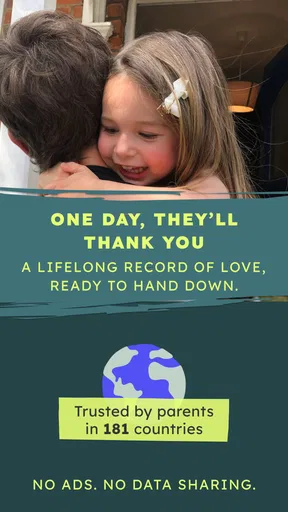
In today’s digital age, privacy is a big deal. I appreciate that BackThen takes security seriously. Your photos are stored securely, and you have full control over who sees what. It’s comforting to know that my family’s memories are safe and sound.
Features That Stand Out
One of the cool features is the ability to add notes and captions to each photo. It’s perfect for jotting down those funny little things your kids say or do. Also, the app sends out monthly reminders to add new photos, so you never fall behind on documenting those fleeting moments.
- Milestone Tracker: Easily track and document important milestones.
- Video Support: Not just photos; videos are seamlessly integrated.
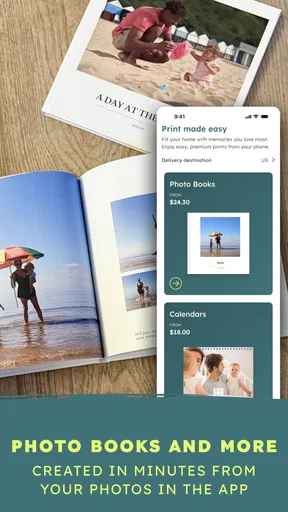
- Print Options: You can order prints or photo books directly from the app.
Room for Improvement
While BackThen is packed with features, there are a couple of areas where it could improve. For instance, the app could benefit from more editing tools. Occasionally, I find myself wishing I could tweak a photo just a bit before sharing. Also, while the app is generally smooth, there were a few instances where it lagged when uploading larger video files.
Final Thoughts
All in all, BackThen: Baby & Family Album is a fantastic app for anyone looking to organize and share family memories easily. It's user-friendly, secure, and packed with thoughtful features that make documenting your child’s life a joy rather than a chore. If you’re on the lookout for a reliable way to keep those baby photos organized and share them with loved ones, give BackThen a try. Trust me, your future self will thank you!
Pros
- Simple interface for easy navigation.
- Secure cloud storage for memories.
- Family sharing without privacy issues.
- Automatic photo organization by date.
- Offline access to your albums.
Cons
- Limited free storage options.
- No video editing features.
- Requires internet for full functionality.
- Subscription required for premium features.
- No direct social media sharing.
FAQs for BackThen - Baby Book & Albums
What is BackThen and how does it work?
BackThen is a photo and video app designed for parents to document and share their child's growth and milestones. It offers a private and secure platform where you can upload, organize, and store memories. The app allows you to create albums, share updates with family and friends, and even print photo books directly from your collection.
Is BackThen safe for sharing family photos?
Yes, BackThen prioritizes user privacy and security. It includes features like secure logins and encrypted storage to ensure your family photos are kept private. You can choose who gets access to your albums, making it easy to share with selected family and friends without worrying about public exposure.
Can I use BackThen on multiple devices?
Absolutely. BackThen is available on both Android and iOS platforms, and you can sync your account across multiple devices. This means you can upload photos from your smartphone, tablet, or any device you have the app installed on, ensuring all moments are captured and stored in one place.
Does BackThen require a subscription?
BackThen offers a free version with essential features, but to unlock more storage and premium features, a subscription plan is available. The premium version includes benefits like unlimited storage, enhanced privacy controls, and additional customization options for albums and photo books.
How easy is it to create photo books using BackThen?
Creating photo books with BackThen is straightforward. The app provides intuitive tools to select photos, choose layouts, and personalize text and covers. Once you're satisfied with the design, you can order a printed version directly through the app, making it a convenient way to preserve and share your memories in a tangible format.


